
Want your conversational chatbots to be able to generate images on-the-fly?
Updated for AI Engine 2.6.8
Here’s a snippet for Snippet Vault that will let you easily enable the function for your chatbots.
It’s setup to use Flux Schnell from Replicate, so you’ll need a Replicate environment created and configured in AI Engine.
function generate_image($prompt, $aspect_ratio) {
global $mwai_core;
$envs = $mwai_core->get_option( 'ai_envs' );
$envId = null;
foreach ( $envs as $env ) {
if ( $env['type'] === 'replicate') {
$envId = $env['id'];
break;
}
}
if (!$envId) {
throw new Exception( "No Replicate environment found." );
}
$model = 'black-forest-labs/flux-schnell';
$image_query = new Meow_MWAI_Query_Image( $prompt, $model );
$image_query->envId = $envId;
$image_query->resolution = $aspect_ratio;
$reply = $mwai_core->run_query( $image_query );
if ( empty( $reply->results ) ) {
return 'Could not generate image.';
}
return "Generated! **IMPORTANT**: Next, please give this text to the user to show them the generated image: ";
}
If instead you want to use your default image generation environment and model:
function generate_image($prompt, $aspect_ratio) {
global $mwai_core;
$image_query = new Meow_MWAI_Query_Image( $prompt, $model );
//$image_query->resolution = $aspect_ratio;
$reply = $mwai_core->run_query( $image_query );
if ( empty( $reply->results ) ) {
return 'Could not generate image.';
}
return "Generated! **IMPORTANT**: Next, please give this text to the user to show them the generated image: ";
}
Snippet Vault settings:
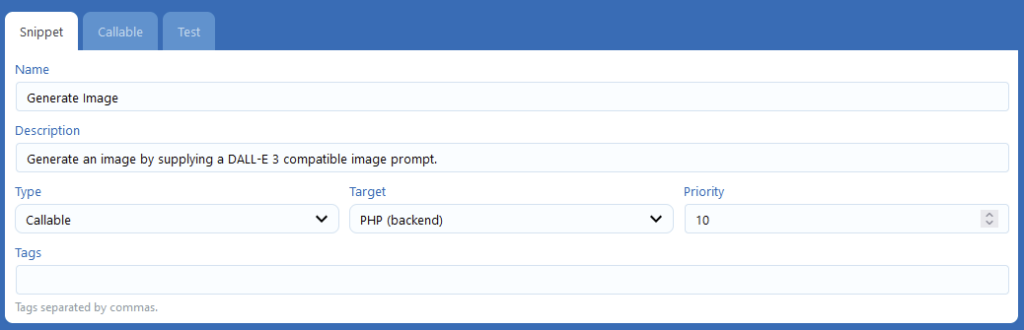
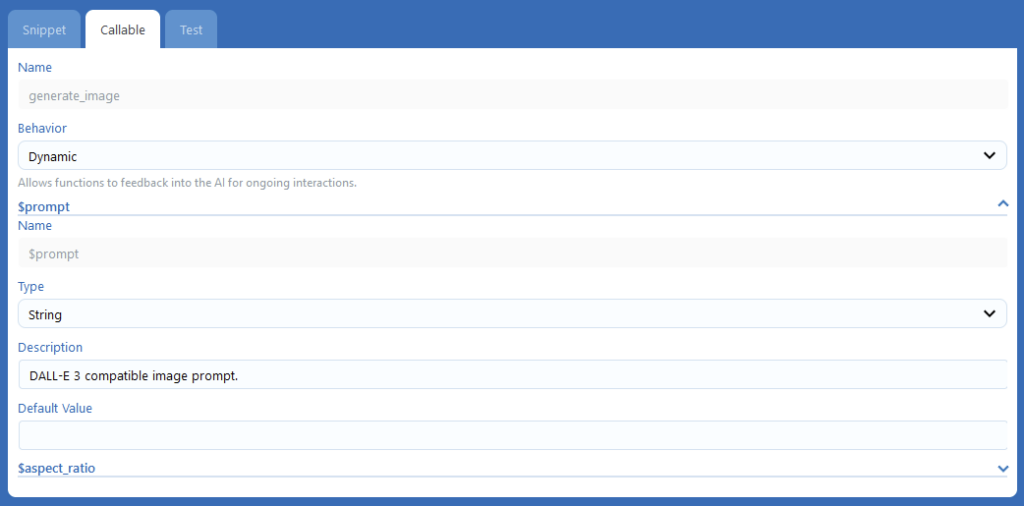
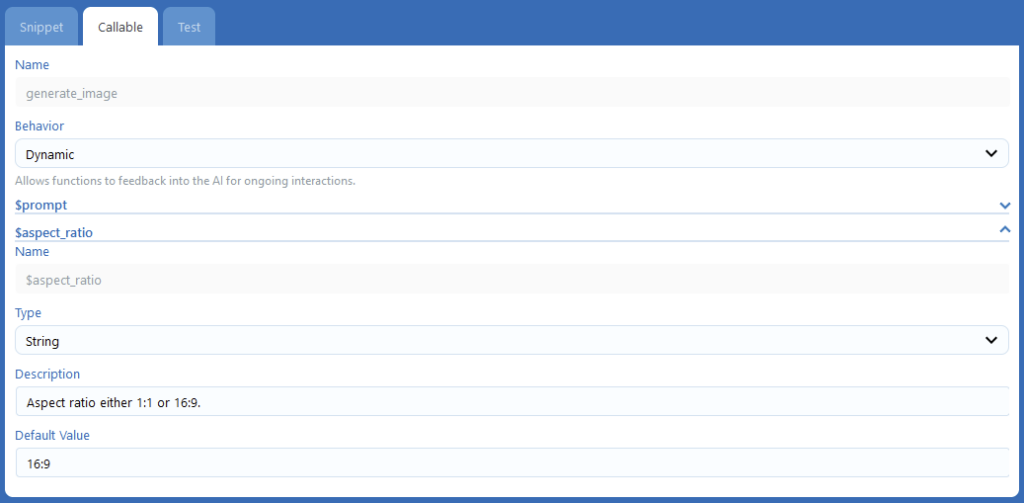
Then in the “Functions” tab in your chatbot’s settings, toggle the checkbox for the function on.

Finally, edit the instructions, adding:
When the user asks for an image, create one using "generate_image" and give them the image.
Now when users ask for images it’ll generate them!
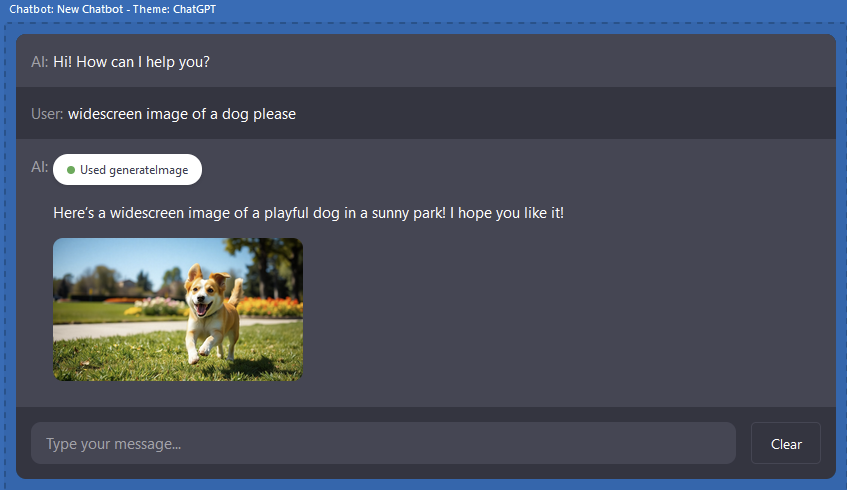
Let’s enhance your business! I can help you develop custom AI engine extensions or broader AI strategies.
Leave a Reply